30% Neujahrs-Rabatt für 2026 sichern
Buy now and secure the price. Use later.
4.9/5 stars on Trustpilot
100% Geld-Zurück-Garantie
🇩🇪 Made in Germany

Live Show: Stream your wedding photos in real time

With our live slideshow (Live Show), you can stream all wedding photos in real time and display them on a screen such as a TV, projector or monitor.

When a new photo is uploaded, it is automatically added to the live show.

Motivates participation

Entertain your guests with the photos you collect with FridaySnap. The integrated QR code motivates your guests to participate.

The live slideshow automatically goes through all uploaded photos - including those uploaded after the start.

The photo games are automatically displayed and the QR code can optionally be shown for direct uploads.

Configure how you display your photos

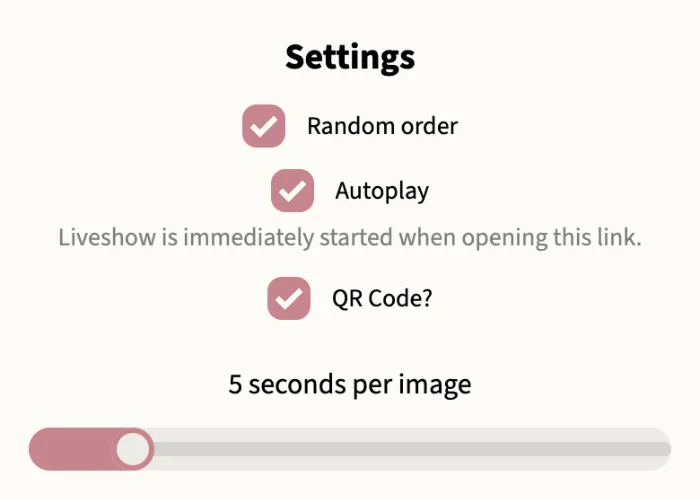
Maximum configuration of how you display your photos. From the order to the duration per photo to the display options.

You can simply start the live show and let it run carefree in the background. Once started, you can experience the wonderful shared day and enjoy the shared moments.

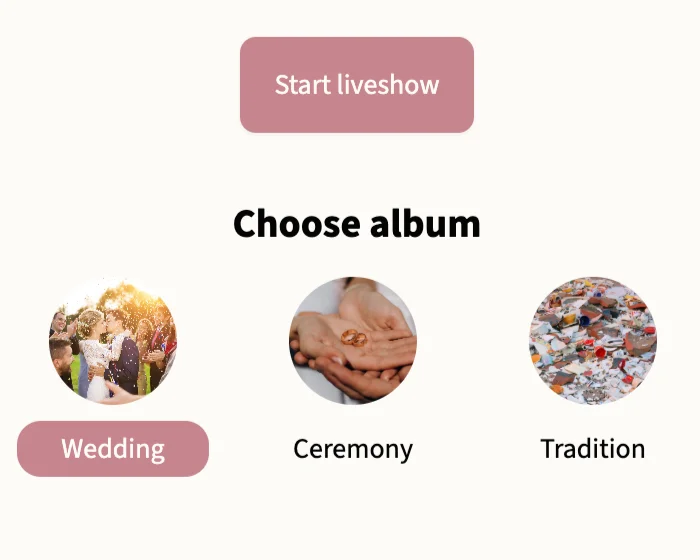
Live show per album

You can select any album to stream. You can decide whether guests can also upload photos to the live show or whether only your own selected photos are displayed.

Unsere Demo: Die beste Art, uns kennenzulernen!

Überzeuge dich von unserer kostenlosen Demo. Du wirst FridaySnap lieben!

Kostenlose Demo

FAQ - Questions about FridaySnap's Live Show

Hier beantworten wir häufig gestellte Fragen.
Sollten wir eure Fragen nicht beantworten können, kontaktiert uns gerne kostenlos und jederzeit über WhatsApp!

Jetzt in WhatsApp chatten
Which devices are supported?

FridaySnap runs completely in the browser without an app, so all devices with a browser can be used. It's best to make sure beforehand that the browser is up to date.


We recommend connecting a monitor/projector to a laptop or tablet. If you have any questions, feel free to contact us.

How do I start the live show?

Simply go to settings and the Live Show sub-item to "To Live Show". From there, the live show opens and you can start it directly.

If you want to open the live show on another device, you can copy the current link and open it on the other device. If you want to stream a private album, please make sure to log in with your admin link first.

Can guests participate in the live show?
Yes, you can even display the QR code to the live show so guests can log in directly.
Are photo games supported?
Yes, photo games are always shown at the bottom of the live show so you know where they come from.
Can I deactivate the live show?
Of course, you don't have to use the live show. FridaySnap works completely independently for this.
Can I also use the live show at home?
Yes, you can simply use the live show at home. Whether on your phone, laptop or TV.
Can I also use the live show after the celebration?
Yes, the live show can be started at any time.

Noch Fragen?

Dann schau doch mal in unserem FAQ vorbei. Hier beantworten wir dir alle Fragen zu unserer Foto-App.

We offer 24/7 customer support: whether it's the weekend or the middle of the night, we’re always reachable.